Working with Healpix data#
Healpix has been used in cosmology for more than 20 years. See https://healpix.jpl.nasa.gov/html/intro.htm for more information.
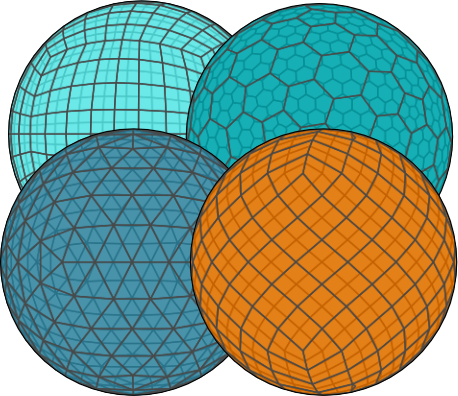
Healpix divides the sphere into sperical rectangles (“pixels”) of equal size, starting with 12 “base pixels”. Each of these “base pixels” is then further subdivided into 4 equally sized rectangles. The number of subdivisions is called “order”, while the total number of rectangles within a “base pixel” is called “nside” (the relation between both is \(n_{\mathrm{side}} = 2^{\mathrm{order}}\)).
There are two major ways of numbering the “pixels” (the “indexing scheme”):
"ring", which assigns IDs to pixels based on the latitude rings they are on, such that pixels on the same latitude will have IDs close to each other."nested", which assigns IDs based on the pixel hierarchy, such that pixels within the same parent pixel have IDs close to each other.
(Some Healpix libraries use the boolean nest to indicate the indexing scheme)
Import libraries#
import xarray as xr

import xdggs

_ = xr.set_options(display_expand_data=False)
Initialization#
To initialize, we first have to open the dataset. Here we’ll use xarray’s air_temperature tutorial dataset, which was interpolated to the healpix grid.
Tip
If the dataset you want to work on is not already on a healpix grid, you will have to use a different package to interpolate.
Warning
For the purpose of this tutorial we drop the geographic coordinates and load all data into memory, but this is not required.
original_ds = xdggs.tutorial.open_dataset("air_temperature", "healpix").load()
air_temperature = original_ds.drop_vars(["lat", "lon"])
air_temperature
<xarray.Dataset> Size: 10MB
Dimensions:   (time: 2920, cells: 434)
Coordinates:
  * time      (time) datetime64[ns] 23kB 2013-01-01 ... 2014-12-31T18:00:00
    cell_ids  (cells) int64 3kB 525 526 527 529 530 ... 2043 2044 2045 2046 2047
Dimensions without coordinates: cells
Data variables:
    air       (time, cells) float64 10MB nan nan 294.1 nan ... 272.6 270.8 265.0
Attributes:
    Conventions:  COARDS
    title:        4x daily NMC reanalysis (1948)
    description:  Data is from NMC initialized reanalysis\n(4x/day).  These a...
    platform:     Model
references: http://www.esrl.noaa.gov/psd/data/gridded/data.ncep.reanaly...After that, we can use xdggs.decode() to tell xdggs to interpret the cell ids.
This will create a grid object (see xarray.Dataset.dggs.grid_info and xdggs.HealpixInfo for more information) containing the grid parameters and a custom index for the cell_ids coordinate (notice how the coordinate name is displayed in bold), which will allow us to perform grid-aware operations.
Important
For this to work, the dataset has to have a coordinate called cell_ids, and it also has to have the grid_name, level and indexing_scheme attributes.
The grid_name refers to the short name of the grid, while level refers to the grid hierarchical level (the healpix libraries call this the “order”, while xdggs will use “level” for all grids), and the indexing scheme depends on the dataset.
In this case, the attributes on cell_ids are:
{
    "grid_name": "healpix",
    "level": 4,
    "indexing_scheme": "nested",
}
ds = air_temperature.pipe(xdggs.decode)
ds
<xarray.Dataset> Size: 10MB
Dimensions:   (time: 2920, cells: 434)
Coordinates:
  * time      (time) datetime64[ns] 23kB 2013-01-01 ... 2014-12-31T18:00:00
  * cell_ids  (cells) int64 3kB 525 526 527 529 530 ... 2043 2044 2045 2046 2047
Dimensions without coordinates: cells
Data variables:
    air       (time, cells) float64 10MB nan nan 294.1 nan ... 272.6 270.8 265.0
Indexes:
    cell_ids  HealpixIndex(level=4, indexing_scheme=nested, kind=pandas)
Attributes:
    Conventions:  COARDS
    title:        4x daily NMC reanalysis (1948)
    description:  Data is from NMC initialized reanalysis\n(4x/day).  These a...
    platform:     Model
references: http://www.esrl.noaa.gov/psd/data/gridded/data.ncep.reanaly...Deriving data#
With the grid object and the custom index, we can derive additional data from the cell ids.
Cell center coordinates#
For example, we can reconstruct the cell centers we dropped from the original dataset, using xarray.Dataset.dggs.cell_centers():
cell_centers = ds.dggs.cell_centers()
cell_centers
<xarray.Dataset> Size: 7kB
Dimensions:    (cells: 434)
Coordinates:
    latitude   (cells) float64 3kB 14.48 14.48 16.96 14.48 ... 35.69 35.69 38.68
    longitude  (cells) float64 3kB 227.8 222.2 225.0 239.1 ... 272.8 267.2 270.0
Dimensions without coordinates: cells
Data variables:
*empty*These are the same as the ones we dropped before:
derived_ds = ds.assign_coords(
    cell_centers.rename_vars({"latitude": "lat", "longitude": "lon"}).coords
)
derived_ds
<xarray.Dataset> Size: 10MB
Dimensions:   (time: 2920, cells: 434)
Coordinates:
  * time      (time) datetime64[ns] 23kB 2013-01-01 ... 2014-12-31T18:00:00
  * cell_ids  (cells) int64 3kB 525 526 527 529 530 ... 2043 2044 2045 2046 2047
    lat       (cells) float64 3kB 14.48 14.48 16.96 14.48 ... 35.69 35.69 38.68
    lon       (cells) float64 3kB 227.8 222.2 225.0 239.1 ... 272.8 267.2 270.0
Dimensions without coordinates: cells
Data variables:
    air       (time, cells) float64 10MB nan nan 294.1 nan ... 272.6 270.8 265.0
Indexes:
    cell_ids  HealpixIndex(level=4, indexing_scheme=nested, kind=pandas)
Attributes:
    Conventions:  COARDS
    title:        4x daily NMC reanalysis (1948)
    description:  Data is from NMC initialized reanalysis\n(4x/day).  These a...
    platform:     Model
references: http://www.esrl.noaa.gov/psd/data/gridded/data.ncep.reanaly...Note
We need to use xarray.testing.assert_allclose() to compare cell centers because the cell center coordinates were computed using a different library with a slightly different implementation, resulting in small floating point differences.
xr.testing.assert_allclose(derived_ds, original_ds)
Cell boundary polygons#
Additionally, we can derive the cell boundary polygons as an array of Shapely using xarray.Dataset.dggs.cell_boundaries():
cell_boundaries = ds.dggs.cell_boundaries()
cell_boundaries
<xarray.DataArray (cells: 434)> Size: 3kB
POLYGON ((-132.1875 12.024699180565822, -129.375 14.477512185929925, -132.187...
Coordinates:
    cell_ids  (cells) int64 3kB 525 526 527 529 530 ... 2043 2044 2045 2046 2047
Dimensions without coordinates: cellsPlotting#
We can quickly visualize the data using xarray.DataArray.dggs.explore(), which is powered by lonboard.
Note
The slider requires a running kernel, so this won’t work in static documentation.
ds["air"].dggs.explore()